

Build your AI team.
Everything from the session.
Every prompt, every demo, and the guardrails that protect what you build. Work through it at your own pace.
Watch the full training
One video that walks through every step of the AI Orchestrator. Watch it once, then work through the steps below with your own business.
Seven steps. One prompt from scratch.
Steps 1 to 4 are the AI Orchestrator: each tool writes the prompt for the next. Steps 5 to 7 are AI that acts for you: it builds, it works, it runs errands.
The coral demo examples are from Bethanie’s own business: turning feast-and-famine speaking into recurring revenue on two to three hours a week. Read them for the shape, then use your own business.
ChatGPT · Ideate
Get interviewed about your business, then pick one idea worth researching. This lays the foundation.

I run [your business]. Most of my revenue comes from [how you make money today]. I want [your goal], and I have [hours] a week to work on it.

Interview me one question at a time until you understand my business. Then give me three ideas and tell me which one you would pick, and why.
Write like a courtroom will read it. Your chats are business records. Turn off model training in settings before you start.
Gemini · Research
Use Deep Research to size the market and find out who already pays for what you want to offer.

[Paste the prompt ChatGPT wrote]

Run this as Deep Research. Size the market, name who already pays for this and what they pay, and show me where the gap is. Cite every number.
Your questions can train the model. Find the training or activity setting and turn it off before you paste in your strategy.
Claude · Strategize
Turn the idea and the research into a 90-day plan that fits the hours you really have. Do not rush this one.

[Paste the prompt Gemini wrote]
[Attach your ChatGPT summary and the Gemini report]

Build me a 90-day plan. Then pressure-test it: what breaks if I only have [hours] a week? Cut until it fits, and tell me what you cut.
Name your IP before it goes in. Say “my framework, which is my intellectual property,” and keep a dated copy of your own work.
Notebook · Create
Upload your three documents and turn them into a podcast, an infographic, and a presentation.

Upload your ChatGPT summary, your Gemini report, and your Claude plan.

[Paste the prompt Claude wrote]

Then create an audio overview, an infographic, and a presentation for [who it is for].
Know what you are uploading. A question is not the same as handing over the file. Keep client data out.
Lovable · Build
Have Claude write and pressure-test a Lovable prompt, then turn your offer into a live one-page website.

[Paste the Lovable prompt Claude wrote]

Build a one-page site for [your offer]: who it is for, what they get, and one clear next step. Use my colors: [your colors].
Know where the data lands. The moment someone types an email into your page, you are responsible for it. Read the terms first.
Marblism · Hire
Hire one AI employee that drafts, and approve everything before it sends.

Hire one AI employee. Start with one that drafts, not one that sends.

Give it your brand voice from Claude, your offer from Notebook, and one rule: nothing goes out until I approve it.
Nothing sends without a human. An untrained agent is an untrained employee, with your logo on it.
AI personal assistants: AI that works while you don’t
A chatbot waits for your next prompt. A personal assistant lives in your text messages, acts for you, and speaks first. Every major AI company now has one.
Instinct · Delegate
The assistant Bethanie uses, running in WhatsApp. It’s an invite-only beta, so you may need to join a waitlist.

Set it up before you use it. Turn off training, keep client data and business email off it, and end every request with what it can’t do.
Three texts to try first
Low stakes, no accounts connected. Swap in your own details.
Plan something
Plan a thank-you lunch for [number] of my best clients in [city] on a [day] in [month]. Budget is [$]. I need a private room and easy parking. Give me three options and draft the invitation. Do not contact or book anything.
Watch a price
Watch nonstop round trips from [city] to [city] for [dates]. Text me only if one drops under [$]. Stop watching on [date], and do not buy anything.
Check the keys
Which accounts and services are connected to you right now? List service names only, no personal details. Then tell me how to disconnect each one.
The assistant landscape
As of November 4, 2026. These change fast.
WhatsApp and text
The Muse app and WhatsApp
ChatGPT, Slack, and Teams
The Gemini app
The Duet app
Its own app, X, and Slack
Before you connect anything
- Turn training off. Some assistants’ terms allow training on what you share unless you opt out.
- No client data. Nothing from a customer, a contract, or your inbox until you trust it.
- Keep business accounts disconnected. Disconnecting later doesn’t erase what it already read.
- Draw the line in every request. “Ask me before you book, buy, or send.”
- One assistant, one job. Add the next job after it earns your trust.
Seven tools. Seven moves.
You just fed your business into seven tools. Here’s how to keep what you built yours.
The two tools from Steps 5 and 6
Lovable
Builds a working website or app from a plain-English prompt. You change it by asking.
You get 10 extra creditsTry Lovable →Marblism
Pre-built AI employees: an executive assistant, a blogger, sales outreach, and more.
10% off an annual planTry Marblism →Both are affiliate links, and Bethanie may earn a commission. Prefer to go direct at the standard rate? Use lovable.dev or marblism.com.
The ADOPT Method™
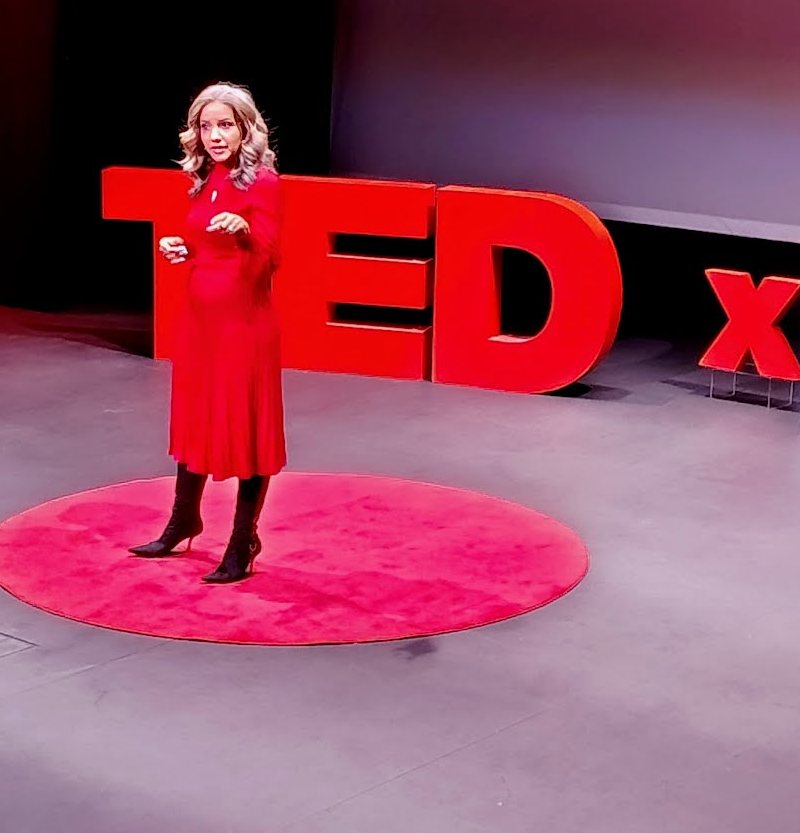
35 years at the intersection of technology and human potential
Bethanie Nonami was handed a folder stamped “unadoptable” at age nine. That same week she found a computer in a library, and technology became the first place she felt capable. She has spent her career making complex technology feel human, and now helps business owners walk into AI decisions with a plan.
CPD Accredited (Provider #22984) · SHRM Recertification Provider · Trusted by IBM, Walmart, Morgan Stanley, LinkedIn, Blue Cross Blue Shield, Nielsen, and UKG
Three ways I can help
AI experiences that matter
Keynotes and workshops for your team, association, or event, with demos people can follow.
Start a conversation →Get certified
AI Agent of Change certifications and a community of people learning together.
Become certified →License the framework
White-label curriculum with train-the-trainer certification, for organizations that teach.
Ask about licensing →


0 comments